Layout system
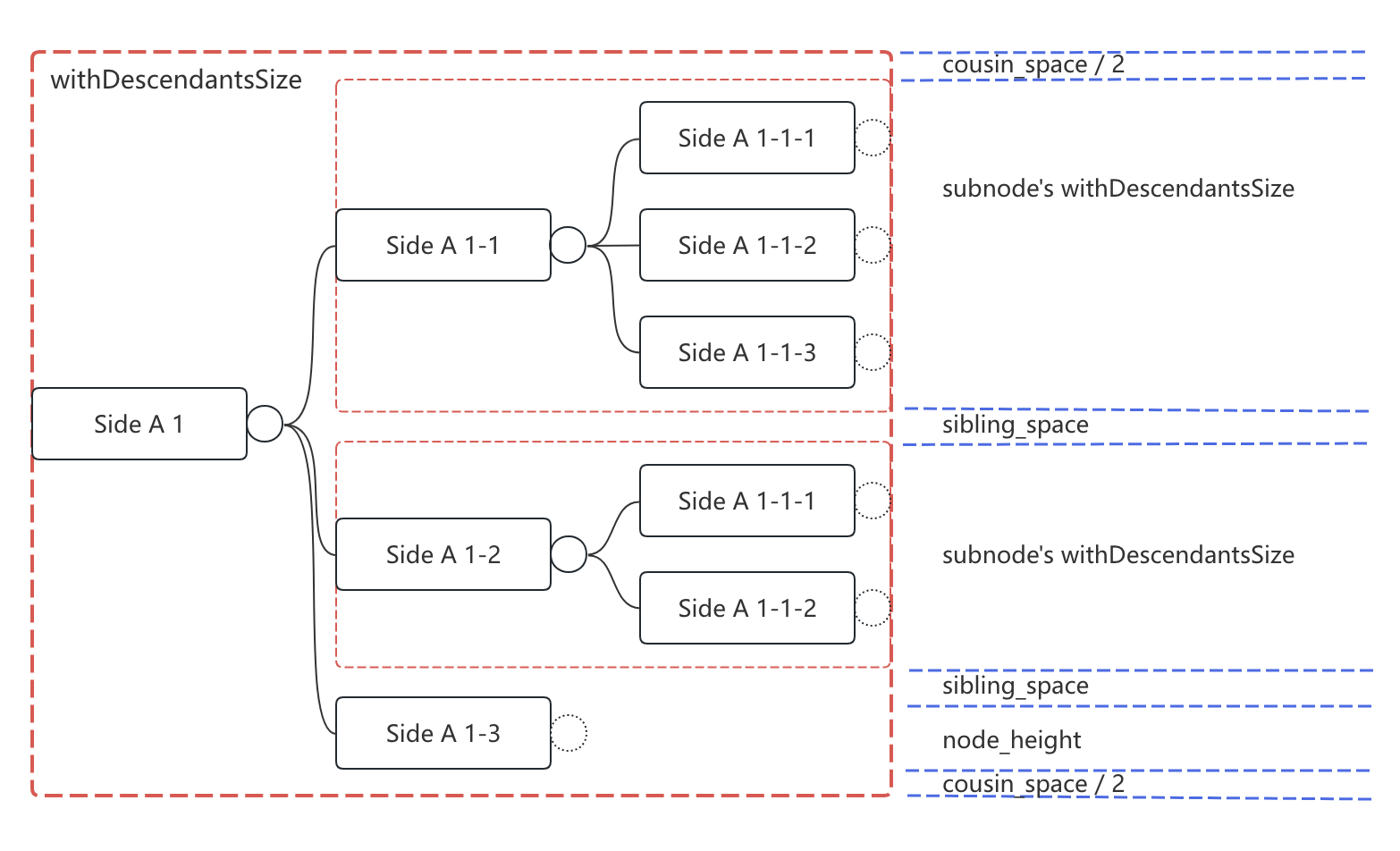
The jsMind v2 layout algorithm lives in src/arranger/mindmap.ts (MindmapArranger). It is pure computation and accepts no DOM dependency — node sizes are fed in from the outside (recordNodeSize), and geometry is computed internally. That is why the layout tests can run in Node (644 lines of tests) without a browser.
1. Coordinate system
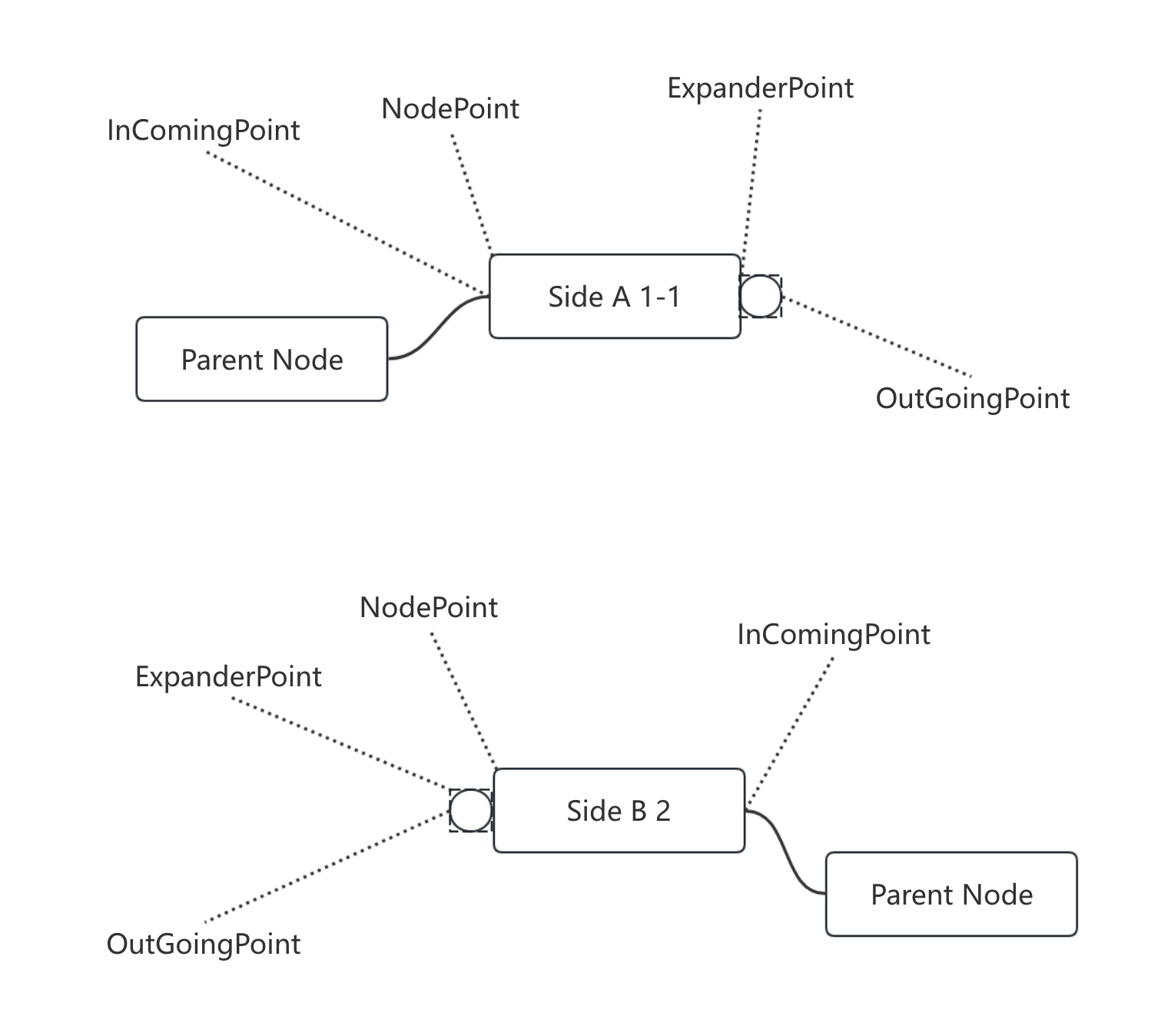
The layout defines three kinds of points. Mixing them up will make connections drift:
| Method | Meaning | Example (Child A, size 60×28, side=1) |
|---|---|---|
calculateNodeIncomingPoint | Anchor: parent anchor plus accumulated offsetToParent. The root is always (0,0), the origin of the coordinate system | (70, -24) |
calculateNodePoint | Top-left of the node: the anchor, then adjusted by side and the node's own size | (70, -38) |
calculateNodeOutgoingPoint | Outgoing point: anchor + (size.width + expanderSize) × side | (143, -24) |
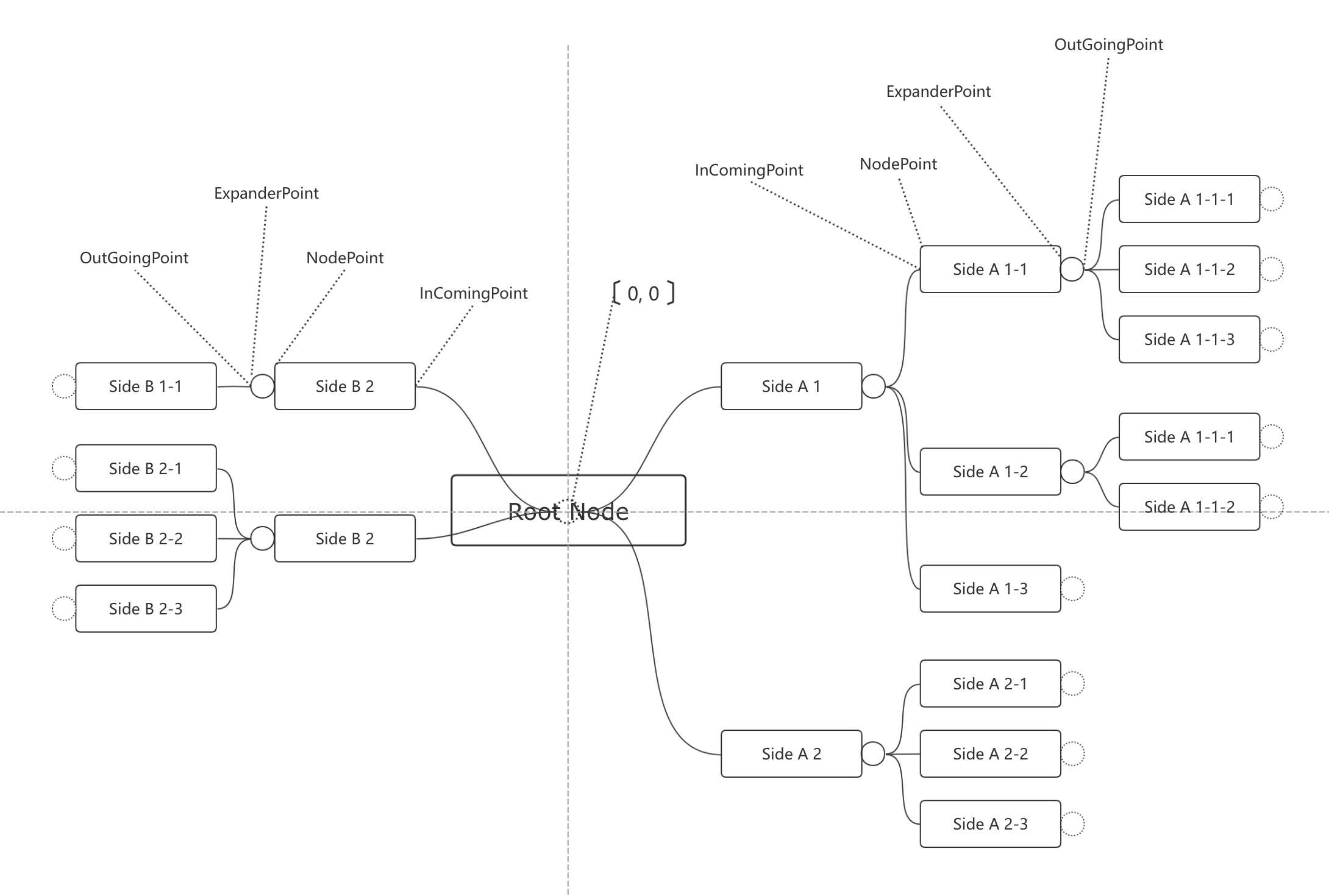
outgoing.x does not sit on the node's right edge; it is one expanderSize (the expander button width, 13px) beyond it. When writing assertions, do not compare outgoing with the node edge — they will differ by those 13px.
2. Box model
Each node is made of three layers of size:
| Layer | Contents |
|---|---|
| Content area | Text + padding |
| Node box | Content area + border |
| Expander | Fold button, on the right of the node (or on the left for left-side nodes), 13px |
The expander does not participate in the node's width calculation — node width is determined by content, and the expander is appended on the side.
3. Layout pipeline
① Measure: create the node DOM → read offsetWidth/Height → arranger.recordNodeSize()
② Layout: arranger.calculate(mind) → each node gets point / incoming / outgoing
③ Render: view.settle(mind) → place node DOM + draw SVG connections
The three steps communicate through data. The renderer does not reach back into the arranger, and it does not measure on its own. Size is input; coordinates are output.
4. Spacing rules
The layout has these spacing parameters (in LayoutOptions):
| Parameter | Default | Meaning |
|---|---|---|
parentChildSpace | 30 | Horizontal distance from the parent's edge to the child's edge |
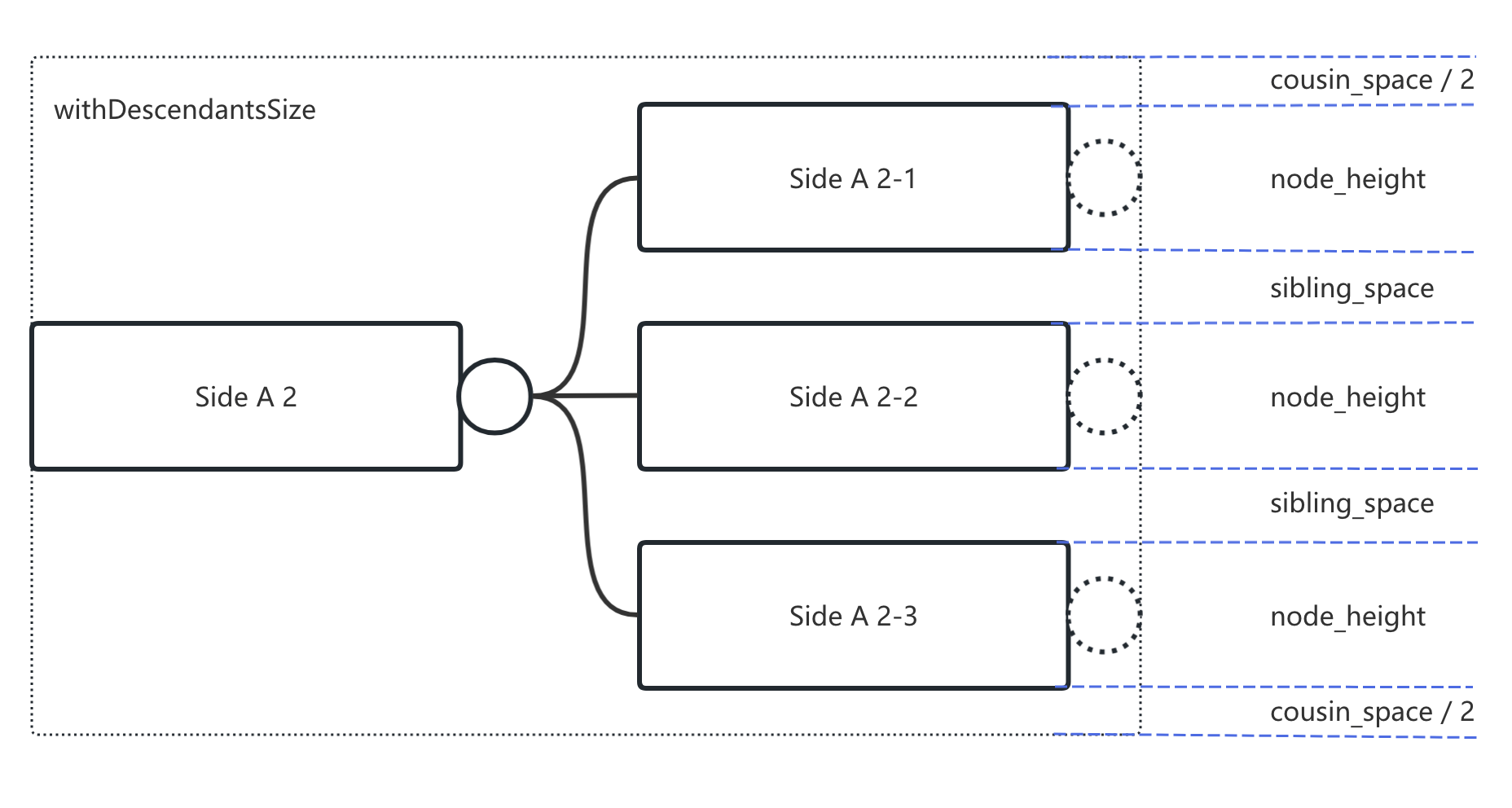
siblingSpace | 20 | Vertical gap between sibling nodes |
cousinSpace | 15 | Vertical gap between cousin nodes (different parents) |
expanderSize | 13 | Width of the fold button |
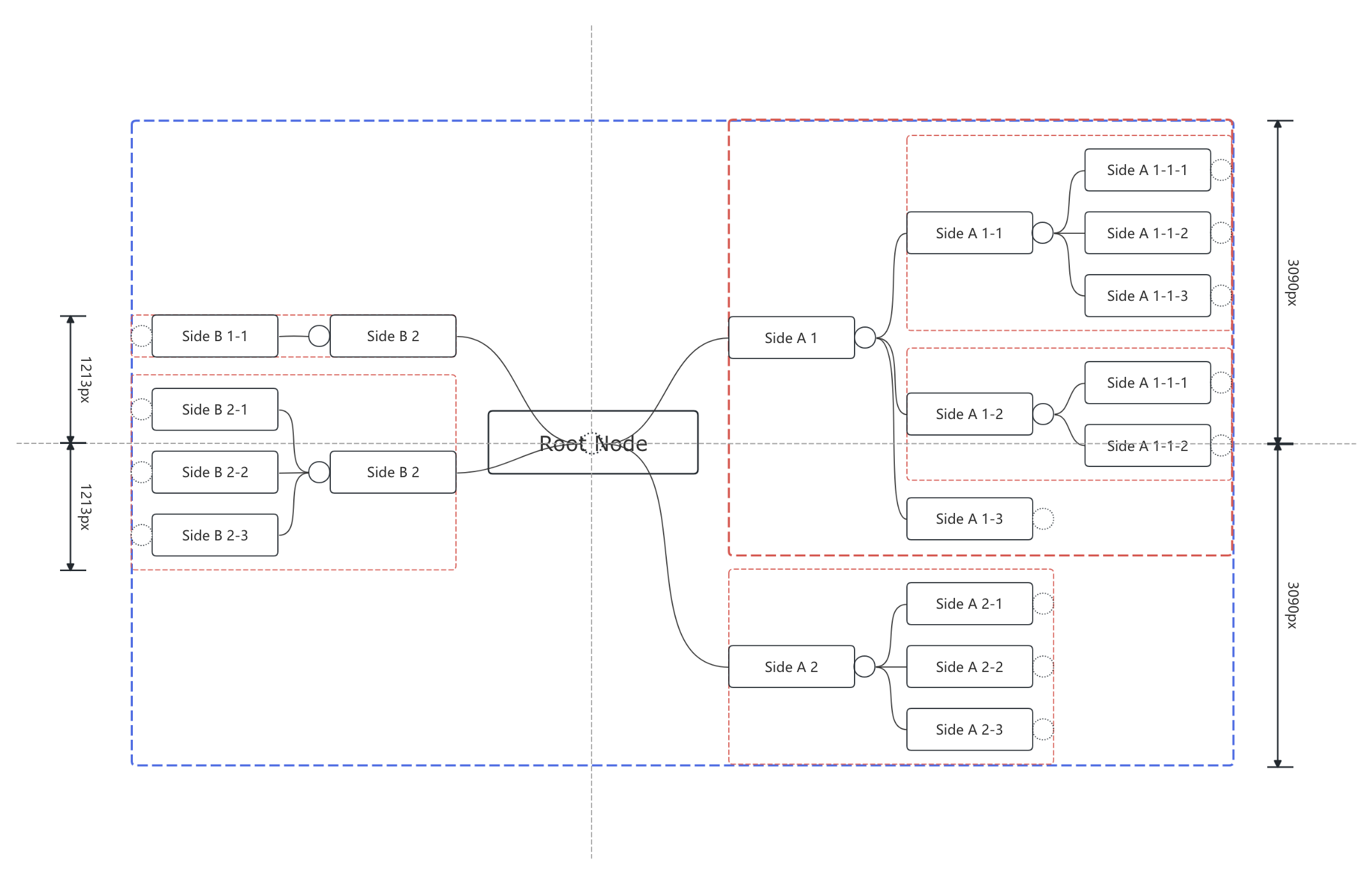
Note: the gap between sibling nodes is not always exactly siblingSpace = 20. The vertical space a node occupies is the height of its entire subtree block. The gap between leaf siblings is siblingSpace (20px), but siblings that have subtrees are much farther apart — that is not a bug; it is determined by subtree height.
5. Direction
JmNodeSide decides which side a node is laid out on:
| Value | Meaning |
|---|---|
-1 (SideB) | Left |
0 (Center) | Centered — only the root is allowed to use this |
1 (SideA) | Right |
Child nodes inherit the parent's direction by default. side: 0 is not “in the middle”; it means “no direction” — the layout needs it to know the point from which both sides spread out. If a child carries 0, the layout cannot find a landing point and the node is not drawn. The validator (E_NON_ROOT_SIDE_CENTER) intercepts this case.
6. Canvas area limit
PNG export has to go through canvas encoding, and canvas has an area limit. Measured on Chromium:
| Output size | Area | Result |
|---|---|---|
| 16000 × 12000 | 192M px² | Success |
| 20000 × 15000 | 300M px² | toBlob returns null |
The threshold is about 268M px² (16384²), which matches Chrome's canvas area limit. Beyond that limit, the current failure mode is to throw — it will not produce a truncated image. Truly supporting giant maps would require tiled rendering and stitching, or outputting SVG.